Teachers are always short on preparation time and long on the need for variety. An Object Generator is a low-effort, high-engagement tool that slots into vocabulary, writing and speaking lessons across almost every grade level. One button replaces a stack of flashcards, and the unpredictability keeps a room attentive in a way a printed list never does.
This guide covers ready-to-run activities, how to adapt them by age group, the classroom management details that make the difference, and how to keep an entire class working from identical prompts.
Why It Works in a Classroom
The pedagogical value is not novelty. Three specific things happen when prompts are generated rather than chosen:
- Fairness is visible. Nobody can argue that a classmate received an easier word, because the teacher did not choose it either.
- Attention rises. An unknown next prompt keeps a room engaged in a way a visible list on the board cannot.
- Preparation collapses to zero. A ten-minute activity requires no printing, cutting or laminating.
There is also a retrieval-practice benefit. Because students cannot anticipate the prompt, they must actually recall vocabulary rather than skim ahead — and unpredictable retrieval is consistently more effective for long-term retention than rehearsed retrieval.
The tool is not the lesson. It removes the preparation so the lesson can be the thing you actually planned.
Eight Activities You Can Run Tomorrow
1. Describe Without Naming
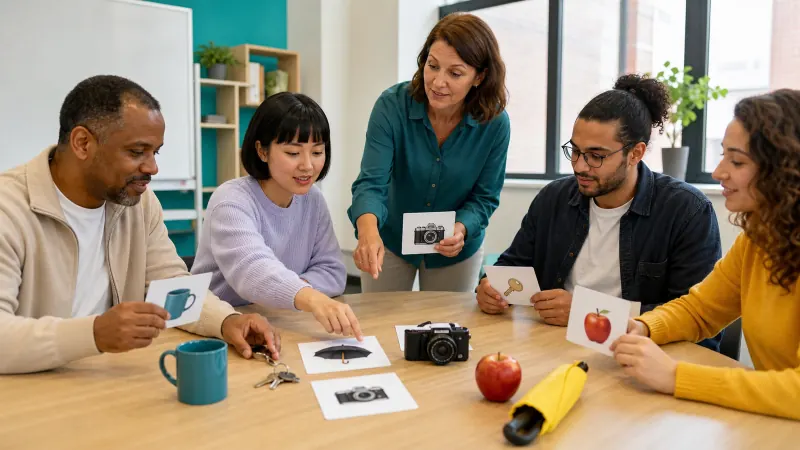
Generate one object. A student describes it using shape, colour, material and function while the class guesses. Trains circumlocution — the ability to talk around a word you do not have — which is one of the most transferable language skills there is.
2. Twenty Questions
The teacher generates an object privately. The class narrows it down with yes-or-no questions only. Excellent for question formation and deductive reasoning.
3. Sentence Chain
Generate five objects. Each student adds one sentence to a shared story, and every sentence must include the next object in order. Forces coherence under constraint.
4. Category Sort
Generate twelve objects and have small groups sort them into categories they invent themselves. The discussion about why a category exists is the real content.
5. Compare and Contrast
Generate two objects. Students list three similarities and three differences. Simple to run, and it scales from single words to full paragraphs.
6. Object Riddles
Each student receives a different object and writes a four-line riddle. The class solves them. Combines vocabulary, inference and creative writing in one task.
7. Invention Task
Generate two objects. Groups design a new product combining both and pitch it in ninety seconds. Strong for speaking confidence and lateral thinking.
8. Silent Drawing Relay
One student draws the generated object on the board without speaking while the team guesses. A five-minute energiser that needs no preparation at all.
Adapting by Age Group
| Age | Settings | Best activities |
|---|---|---|
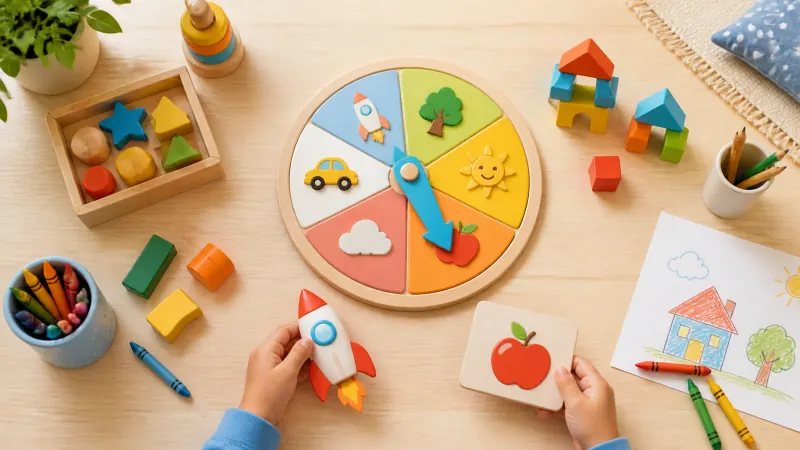
| 5–7 | Kid-friendly on, 1–3 objects | Naming, drawing relay, simple sorting |
| 8–11 | Kid-friendly on, 5–8 objects | Riddles, describe without naming, sentence chain |
| 12–15 | All categories, 8–12 objects | Compare and contrast, invention task, debate |
| 16+ / adult | All categories, 12–16 objects | Extended writing, persuasive pitching, analysis |
The kid-friendly filter is worth switching on by default for primary classes. It restricts the pool to simple, familiar, classroom-safe objects, which removes the small risk of an unsuitable or bewildering result appearing on a projector.
Keeping a Whole Class in Sync
If students have their own devices, write a seed on the board. Everyone who enters it generates identical objects in identical order, so the class works from the same prompts without a single handout. Results become directly comparable in a group review, and a seed saved in your lesson plan regenerates the same worksheet next term. Seeds are explained here.
Two practical notes: settings must match as well as the seed — same categories, same object count — and a memorable seed such as the date is easier to read aloud than a random string.
Practical Classroom Management
- Generate before you display. Draw the batch, glance at it, then project. It takes two seconds and avoids awkward surprises.
- Batch, do not press repeatedly. One draw of sixteen objects runs a whole lesson without returning to the tool.
- Export for records. Download the batch as a text or CSV file if you want the prompts in your planning notes.
- Give a time limit per object. Sixty to ninety seconds keeps pace up and stops one student dominating.
- Have a pass rule. Allow one pass per student per session so a difficult word never becomes a stalling point.
Assessment Without Extra Marking
Random prompts make quick formative assessment easy. Because no student could have rehearsed the specific object, a one-minute spoken description reveals genuine vocabulary range rather than memorised phrases. Listen for whether they can describe function when they lack the noun — that strategy, not the word itself, is what indicates real progress.
For language-specific structures, our ESL vocabulary guide goes deeper, and the Pictionary guide covers running drawing games fairly with larger groups.
Frequently Asked Questions
Do students need their own devices?
No. Projecting from one screen works for every activity here. Individual devices only add value when you want students generating independently, and a shared seed keeps them aligned when they do.
Is it appropriate for very young children?
Yes, with the kid-friendly filter on. It limits results to objects a five-year-old can recognise, name and draw without help.
How long should an activity run?
Five to fifteen minutes. These work best as a lesson opener, an energiser between longer tasks, or a plenary — not as a whole period.
Can I use the prompts in printed worksheets?
Yes. Object names are ordinary words, and exported batches or downloaded cards can be used freely in any teaching material.
Does it work without an internet connection?
After the first load, yes. The generator runs in the browser, so a weak school connection will not interrupt a lesson.
Try It Before Your Next Lesson
Open the Object Generator, switch on kid-friendly, and draw twelve objects. That is a complete vocabulary starter, a riddle task and an energiser prepared in under a minute.