Most people use a random object generator without ever touching the seed field, and that is perfectly fine. But the seed is a quietly powerful feature: it turns one-off randomness into something you can save, reproduce and hand to another person. Once you understand it, uses appear everywhere — classrooms, drawing groups, game nights, even bug reports.
This guide explains what a seed is, why reproducible randomness is worth having, exactly how to use one, and the small habits that make seeds genuinely practical rather than a curiosity.
What a Seed Actually Is
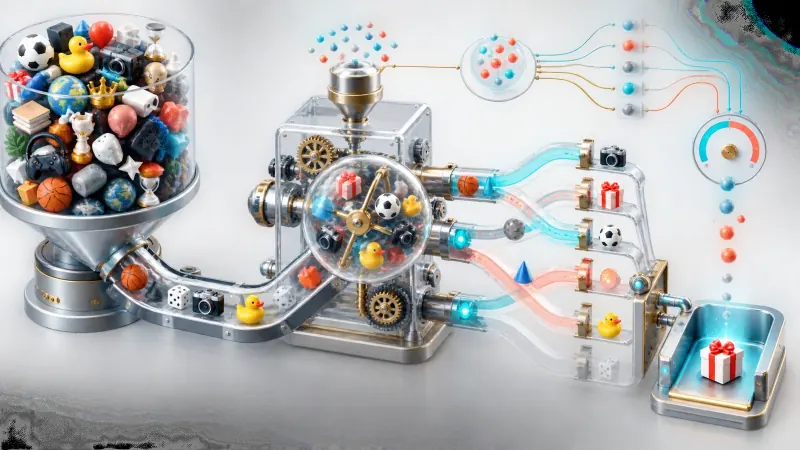
A seed is the starting value that determines an entire sequence of random results. Computers do not produce randomness from nothing; they run a formula that scrambles one number into the next, over and over. That formula needs somewhere to begin, and the seed is that beginning.
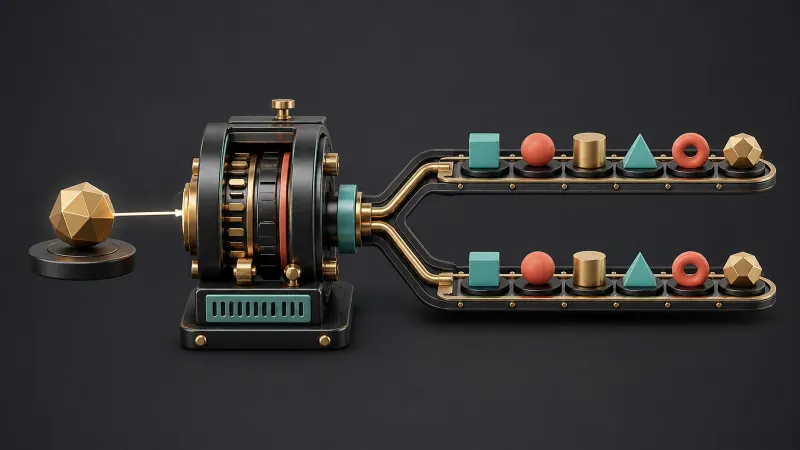
The consequence is the important part: the same seed always produces the same sequence. Enter it today or next month, on your laptop or someone else's phone, and the generator retraces exactly the same path through its word list. Same objects, same order, every time.
When you do not supply a seed, the tool invents one — usually from the current clock — which is why every fresh draw looks different. Supplying one deliberately is what gives you control.
A seed is randomness with a bookmark: unpredictable the first time, perfectly repeatable every time after.
Why Reproducible Randomness Matters
Share an Exact Set of Prompts
Send someone a seed and you both generate an identical list. This is the difference between "here are twelve objects, screenshot them" and "use seed K7P2QM." Drawing groups can run the same challenge from different countries, then compare interpretations of the same subject.
Save a Draw That Worked
Occasionally a batch lands perfectly — a set of objects that happen to make a coherent still life or a well-balanced Pictionary round. Note the seed and it is yours permanently. Without one you are relying on randomness repeating itself, which it will not.
Keep a Whole Class in Sync
Write one seed on the board and every student generates the same prompts on their own device. Nobody needs a handout, nobody gets an easier word, and the results are directly comparable in a group review. This pairs well with the activities in our classroom guide.
Make Games Provably Fair
In competitive play, the accusation is always that the word-picker chose an easy word. A seed agreed before the round removes the argument entirely: the prompts were fixed before anyone knew what they were.
Build Repeatable Lesson Plans
A worksheet built around seed 4T9WQ2 will regenerate identically next term. You can prepare once and reuse for years without storing the word list anywhere.
How to Use a Seed
- Generate objects as normal. The seed for that draw is displayed alongside the results.
- Write it down, or copy it, if the batch is worth keeping.
- To reproduce a set, type a known seed into the seed field.
- Press apply. The same objects return in the same order.
- Share the seed by message, chat or whiteboard — anyone who enters it gets your exact draw.
Seeds are deliberately short and unambiguous, so reading one aloud or writing it on a board is effortless. You can try the whole cycle in the Object Generator tool in under a minute.
What a Seed Does Not Do
Being clear about the limits prevents frustration.
- A seed does not carry your settings. It fixes the random sequence, not the category filters, batch size or kid-friendly switch. Two people using the same seed with different categories will see different results. Share the settings alongside the seed.
- A seed is not a password. It contains no personal information and grants no access. It is simply a number.
- A seed does not improve quality. It reproduces a draw faithfully — including a mediocre one.
That first point is the one that trips people up most often. If a shared seed gives someone different objects, the settings almost always differ, not the seed.
Practical Seed Habits
| Situation | What to record |
|---|---|
| Solo drawing challenge | Seed plus the date, in your sketchbook margin |
| Class activity | Seed, categories and object count on the board |
| Online drawing group | Seed and settings pinned in the chat |
| Recurring lesson | Seed saved in the lesson plan document |
| Game night | Seed agreed aloud before the round begins |
A useful convention for groups: pick a seed that means something to everyone, such as the date. Everybody can regenerate the day's prompts without anyone having to distribute anything.
Seeds and Fair Randomness
A reasonable question is whether reusing a seed makes results less random. It does not. Each seed produces a sequence that is statistically indistinguishable from any other; there are no "lucky" seeds and no seeds that bias the pool. Choosing one simply selects which unpredictable sequence you get, not how unpredictable it is. The underlying mechanism is explained here if you want the detail.
Frequently Asked Questions
Where do I find the seed for a draw?
It is shown with the results after every generation. You do not have to do anything special to create one — every draw already has a seed, whether or not you typed it.
Can I invent my own seed?
Yes. Type anything the field accepts and it becomes the starting value. A date, a class code or a team name all work, and memorable seeds are easier to share.
Why did the same seed give my friend different objects?
Almost certainly a settings mismatch. Confirm you are both using the same categories, the same object count, and the same kid-friendly and no-repeat switches.
Do seeds work offline?
Yes. The generator runs entirely in your browser, so seeds behave identically with or without a connection.
Is there a limit to how many seeds exist?
For practical purposes, no. The range is far larger than anyone could exhaust, so you will never run out of fresh sequences.
Try It in Sixty Seconds
Open the Object Generator, draw a batch, note the seed, refresh the page, then type that seed back in. Watching the identical objects return is the moment the feature stops being abstract — and the moment you start using it to make randomness something you can share.